Appearance
S-Pankki
Country: Finland
Personal usage
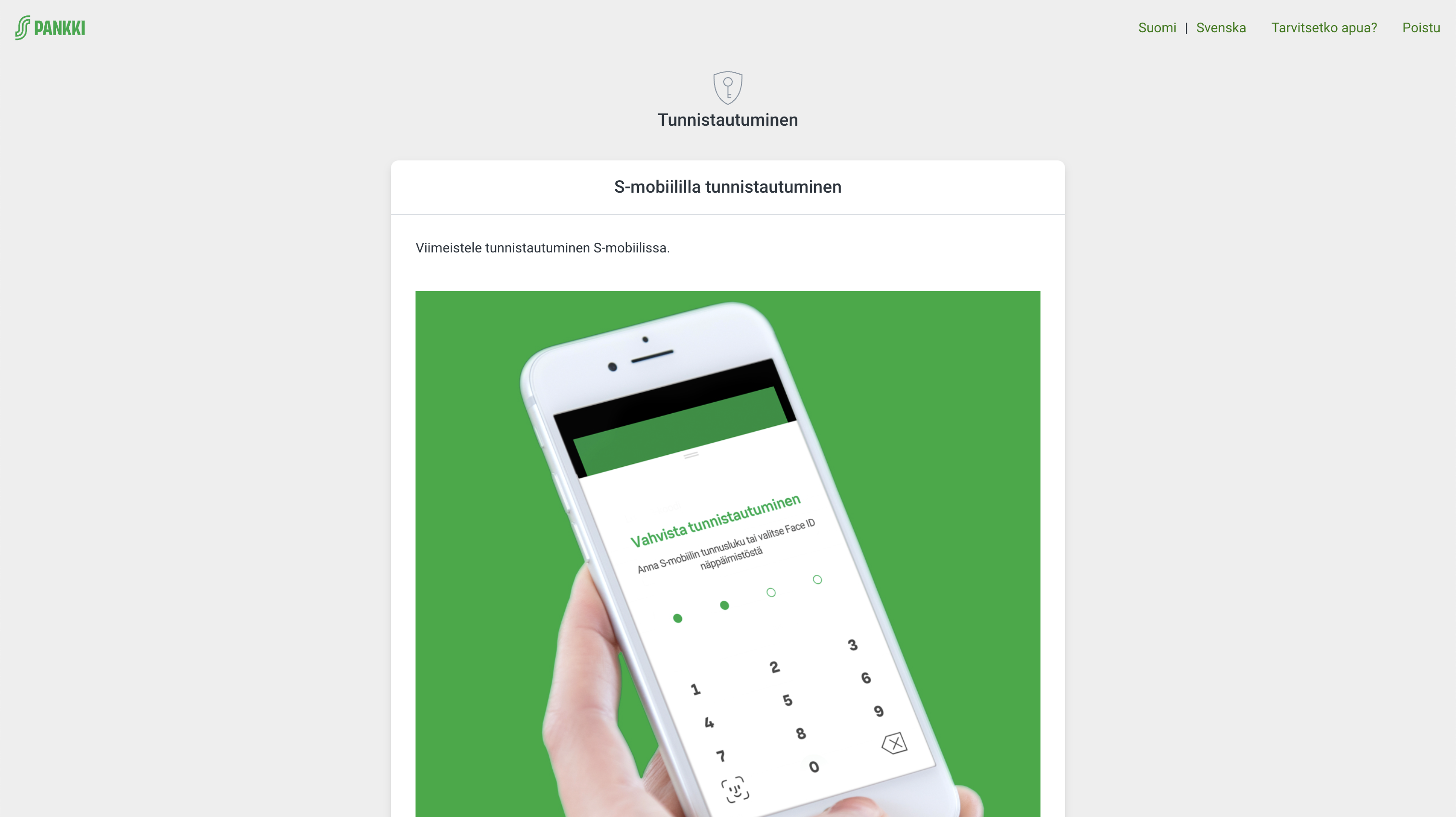
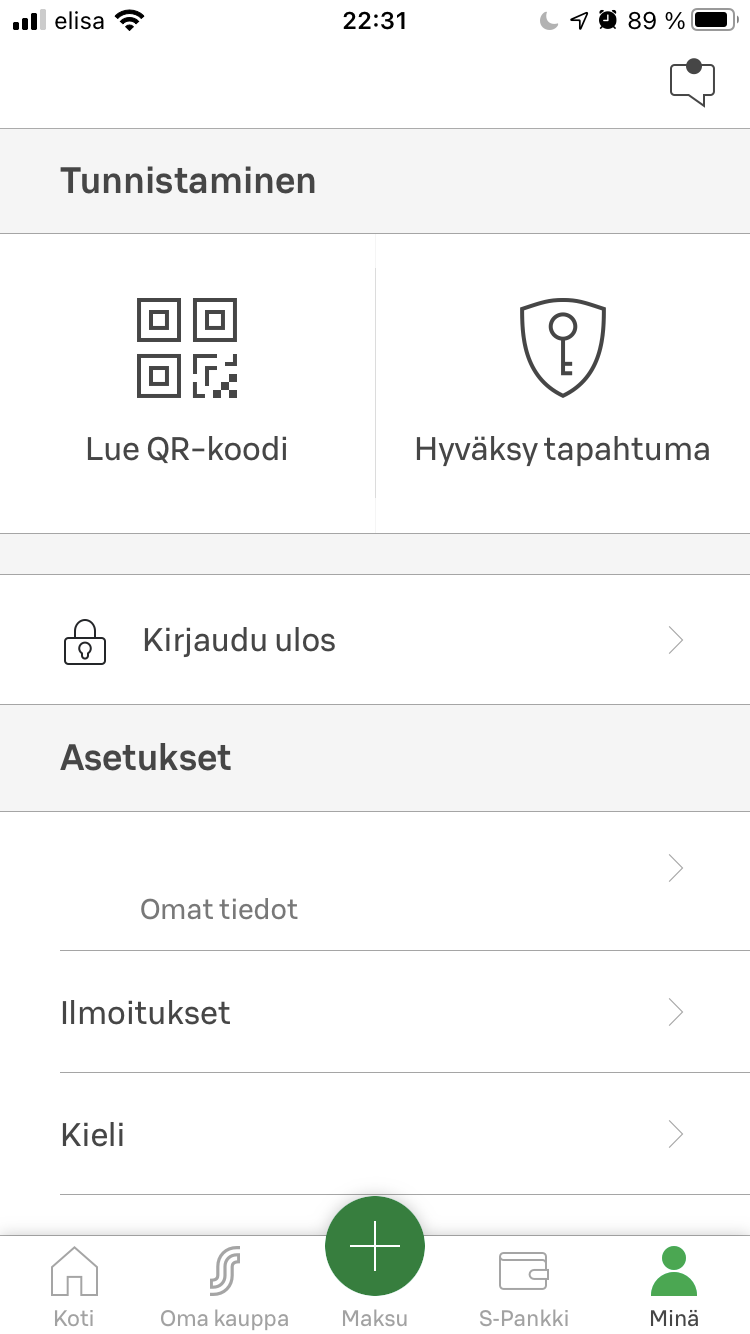
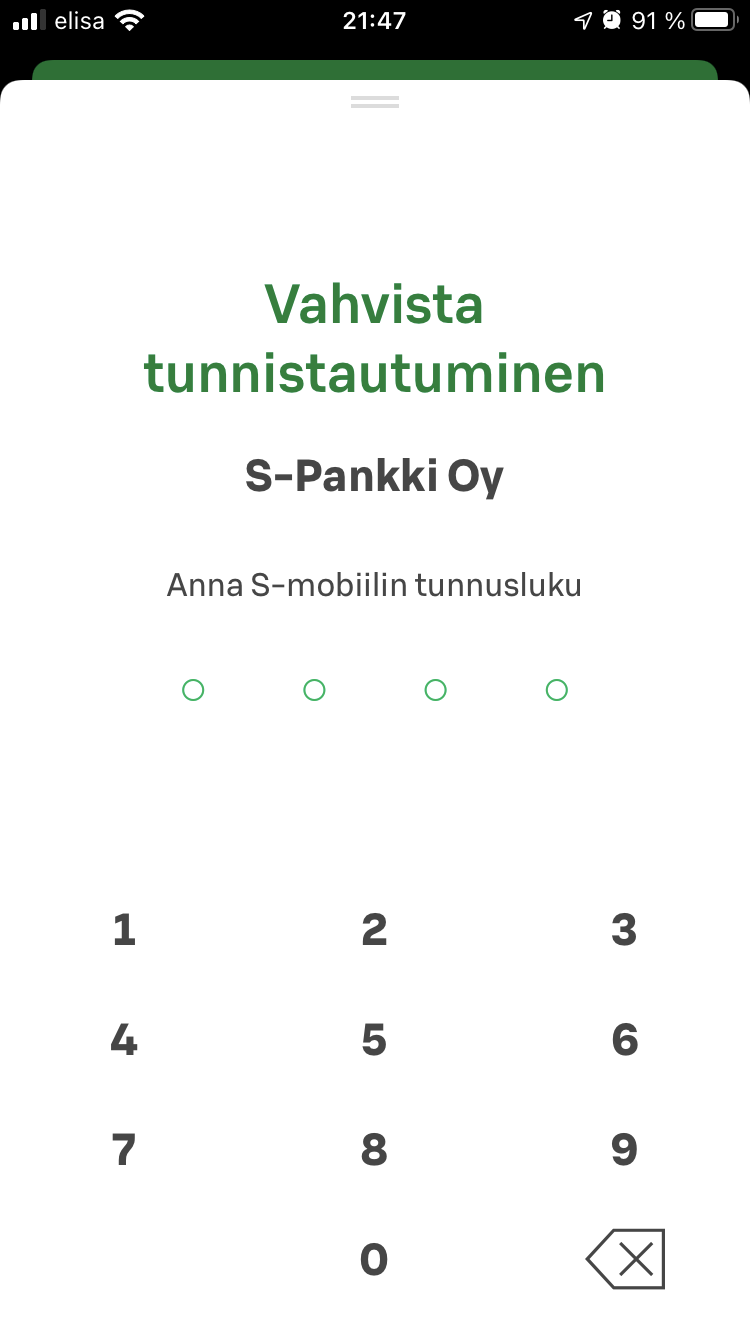
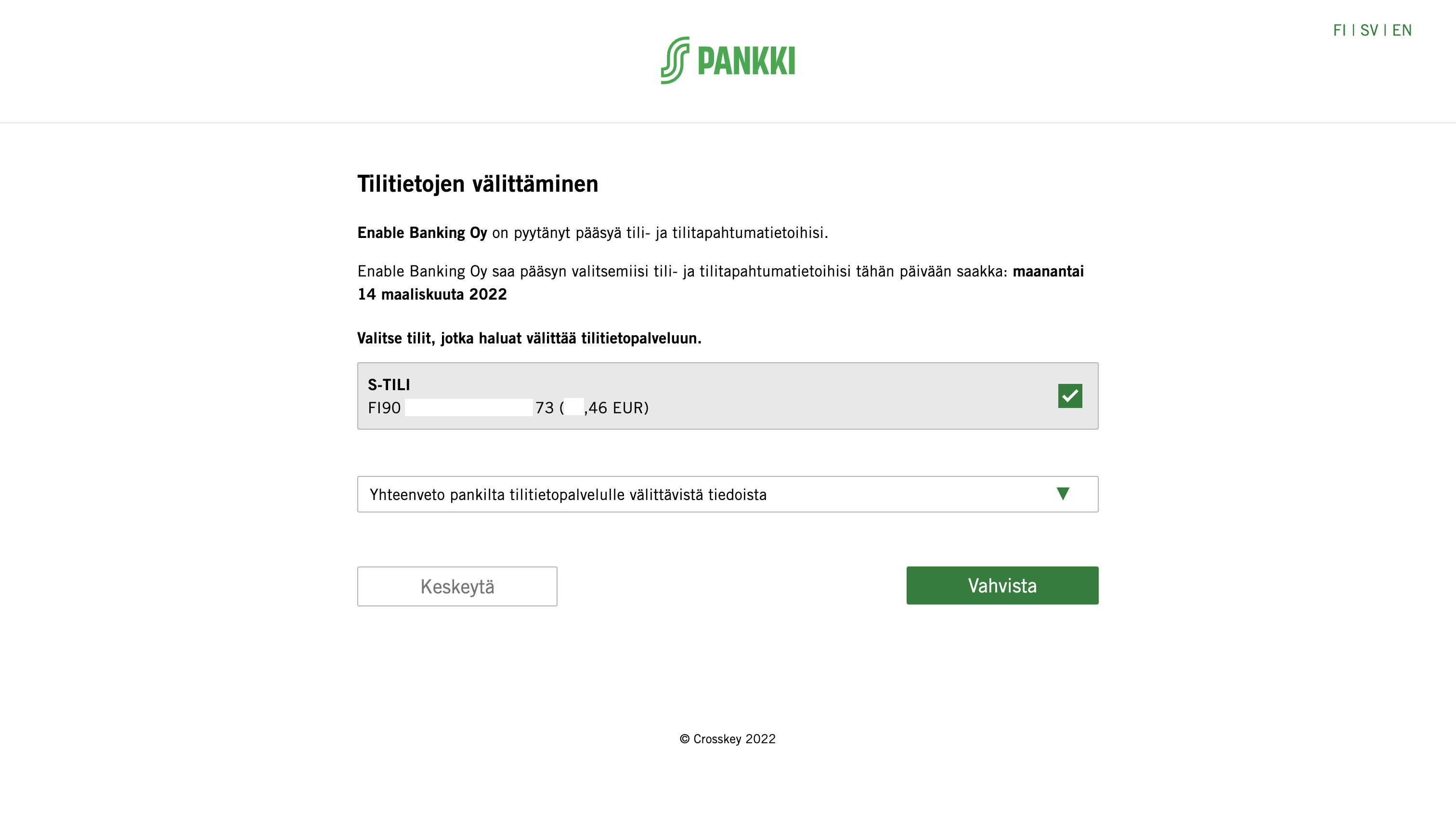
In order to authorise access to your account information you need to scan QR code displayed on the S-Pankki web page where you are redirected using S-mobiili application on your mobile device. The following screenshots show the authorisation flow.
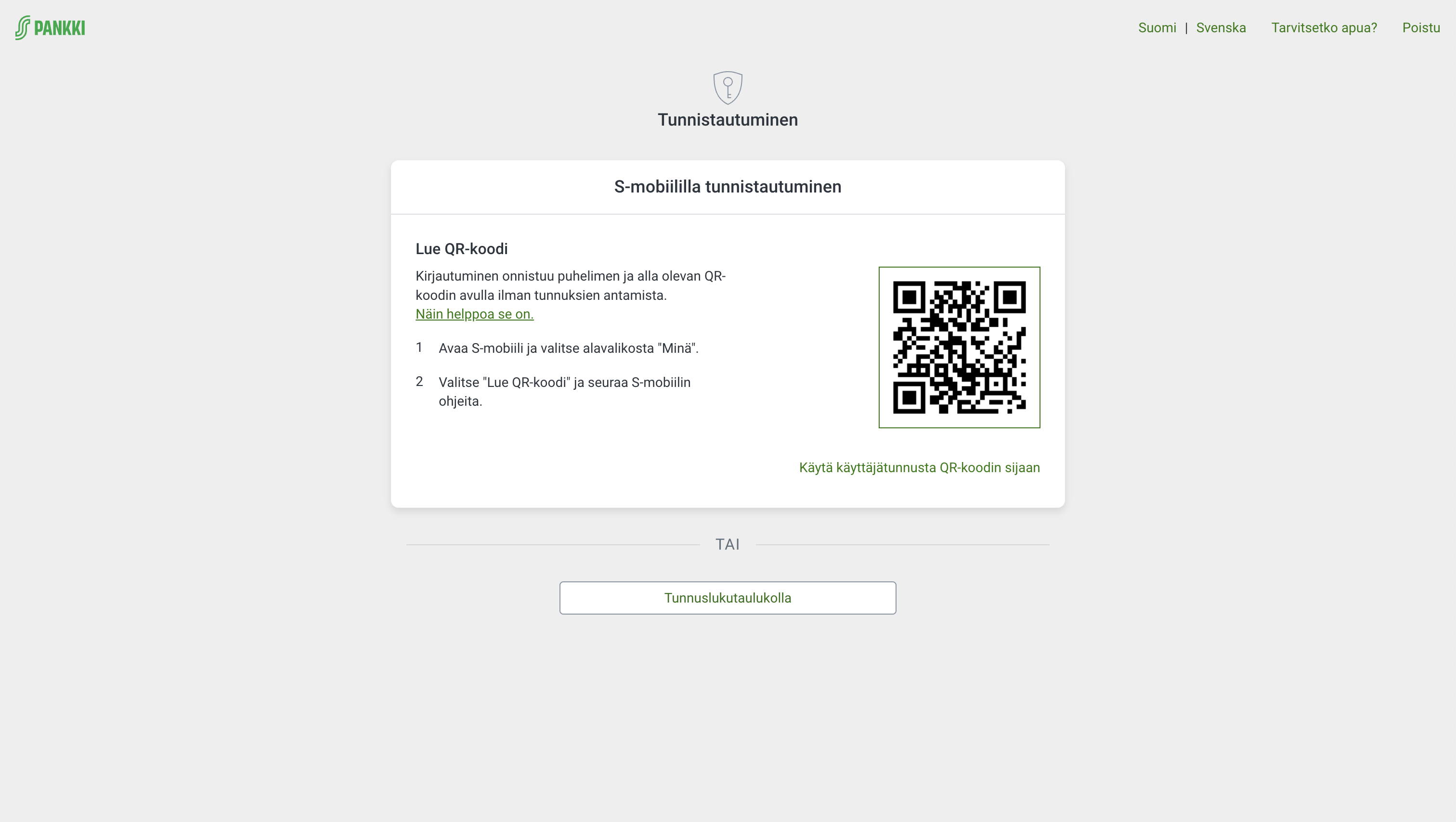
In case you are authenticating from the same device where your S-mobiili application is installed, you would need to enter your S-Pankki user ID. Please notice that this user ID is different from your S-kanava member number (jäsennumero).
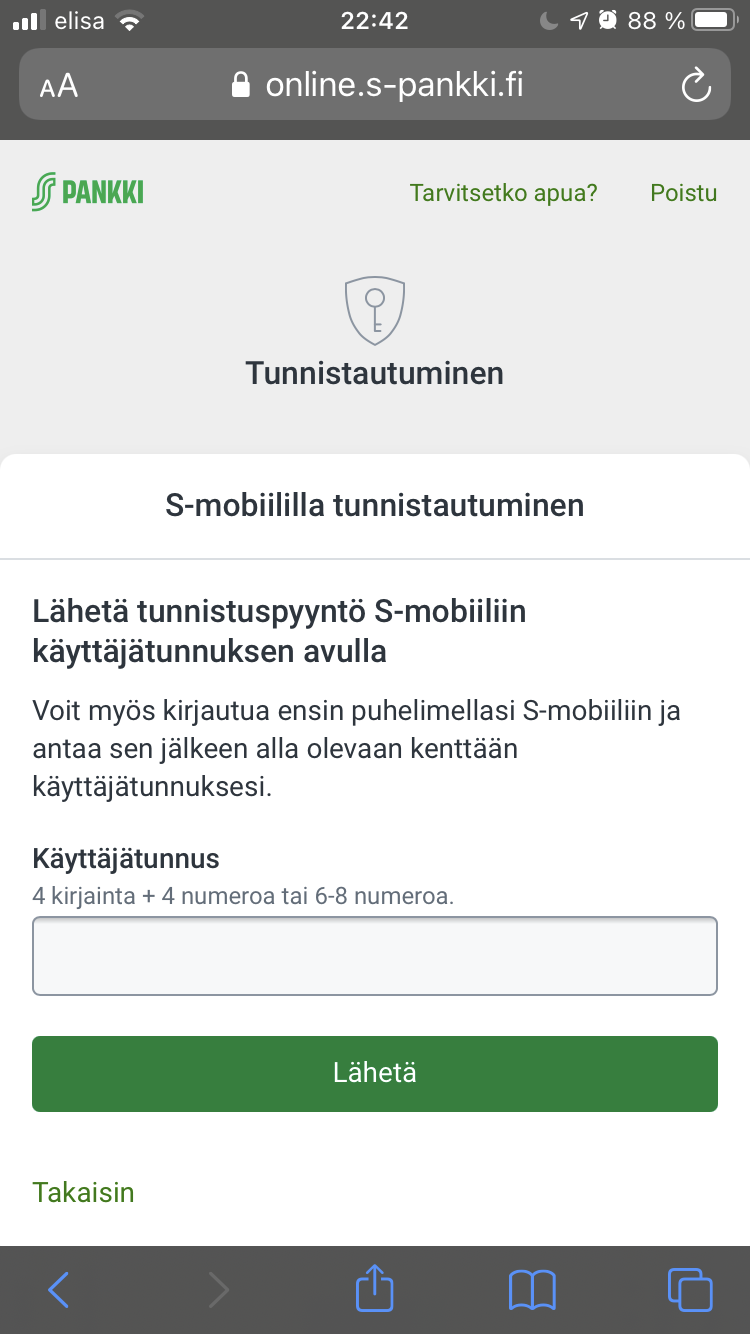
The user ID was given to you together with paper security codes when you opened your account at S-Pankki. For security reasons it is not visible in the S-mobiili application.
If you don't have S-mobiili application, paper security codes (tunnuslukutaulukko) can be used.